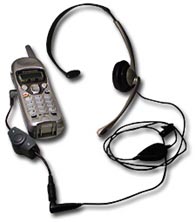
Installing the OHP-500 Adapter for Ordinary Phones
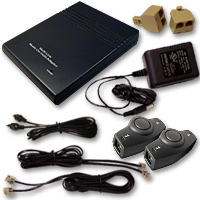
Follow these 7 simple installation steps and you will have your OHP-500 connected to your analog phone(s) in no time.
User Manual
Step 1:
Plug the AC Adapter into a 110V power outlet
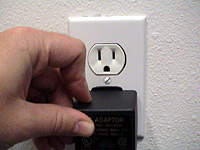
Step 2:
Plug the other end of the power cord into the 9V DC jack on the back of the OHP-500
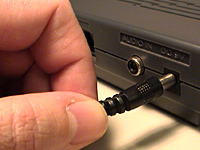
Step 3:
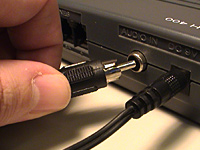
Plug one end of the supplied RCA audio cable into the “audio in” jack on the back of the OHP-500 and the other end into the “audio out” jack of any audio source
Step 4:
Plug one end of the supplied 6′ phone cord into the jack labeled “1/2” on the back of the OHP-500

Step 5:
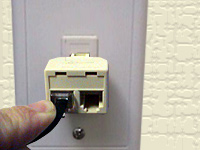
Plug the RJ-11 duplex jack into the phone plug socket coming out of the wall, and connect the other end of the 6′ cord coming from the OHP-500
Step 6:
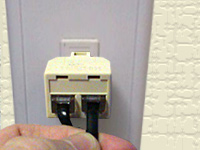
Plug the other supplied 6′ phone cord into the other side of the RJ-11 duplex jack
Step 7:
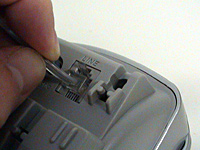
Plug the other end of the 6′ phone cord into your phone. That’s all there is to it!
TEHMA Connection To Multi-Line Phones
Follow these 5 simple installation steps and you will have the TEHMA connected to an analog phone system in no time.
Step 1:
Disconnect the handset from the base unit of the phone.
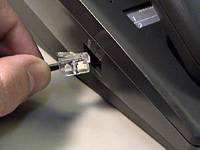
Step 2:
Plug the end of the handset cord into the “A” side of the TEHMA
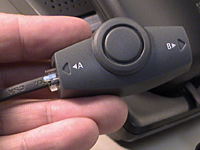
Step 3:
Plug one end of 3″ RJ-22 connector cable into the “B” side of the TEHMA
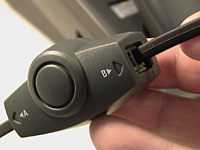
Step 4:
Plug the other end of the 3″ RJ-22 connector cable into the base unit of the phone.
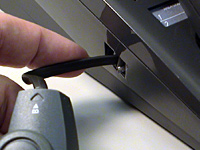
Step 5:
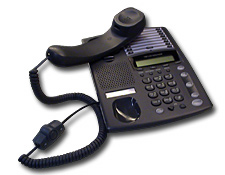
Your TEHMA connection should look like this.
TEHMA Connection To Cordless Phones
Follow these 6 simple installation steps and you will have the TEHMA connected to an analog phone system in no time.
Step 1:
Find the headset jack on the cordless phone.
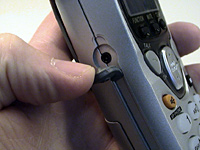
Step 2:
Plug the male end of the RJ-22 to Cordless Adapter (Male) into the headset jack on the phone.
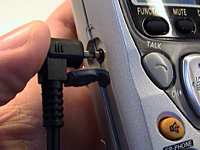
Step 3:
Plug the other end of the adapter into the “B” side of the TEHMA.
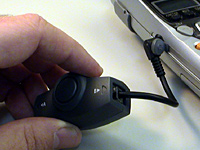
Step 4:
Plug one end of the female RJ-22 connector cable into the “B” side of the TEHMA.
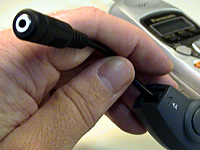
Step 5:
Plug the male end of your headset into the female end of the the RJ-22 connector cable.
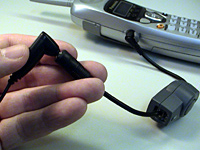
Step 6:
Your TEHMA connection should look like this.